


Iqra Iqbal
Jun 9, 20260 comments14 minutes read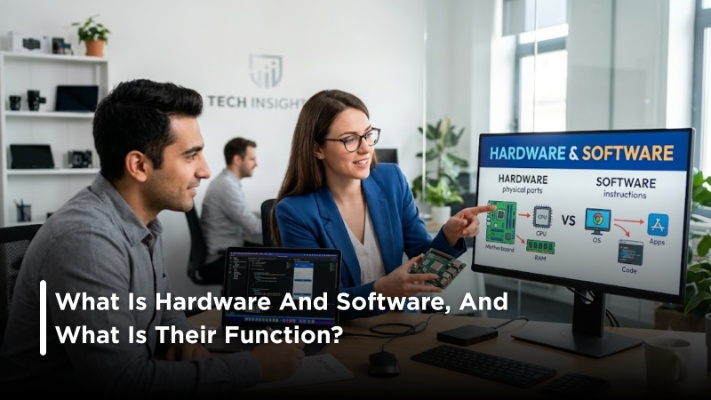
TL; DR Hardware and software are simply two halves that create the entire computing system; hardware is the visible and touchable part, and software provides all the instructions as to what those hardware parts should be doing, and no one can operate without the other.
In answer to the question, 'What is hardware and software? ', well, hardware is essentially any physical piece of equipment in a computer system, and software is a set of instructions that allows that hardware to function; these can be your monitor or keyboard, which are obviously hardware, or your web browsers and Microsoft applications, which are the software.
Consider a car.
The engine, tires, steering wheel, seat, etc are tangible elements. This is hardware.
However, the commands that control the way a car runs, reports performance, and handles operations are similar to software.
Similarly, a computer is not just a stack of circuits that lie idle unless programmed by software. Without hardware, software has no existence, as it is stored and processed within the computer. Both are inseparable.
Hardware is basically any physical and tangible components that are part of a computer system. Basically, anything you can feel and touch, or connect and physically plug into anything; it is hardware.
The following are examples of hardware components:
Each element of hardware is responsible for its own specific function; for example, a CPU is responsible for processing data, RAM holds data temporarily, and your storage devices hold your data for the long term.
Hardware is generally divided into four categories. Each category performs distinct and specific functions in assisting the computer in taking inputs, processing them, storing them, and producing outputs:
These let users transmit data to a computer. These act as the 'medium' through which the user can relay commands and data to a computer to be processed.
Examples:
These display or deliver information from the computer. They present the results of processed data in a form that users can see, hear, or interact with easily.
Examples:
These perform calculations and process instructions. They act as the “brain” of the computer, handling all operations and making sure tasks are executed quickly and correctly behind the scenes.
Examples:
These are used for saving data and files in the short term or long term. These enable us to keep all the required files safe so that they may be accessed and utilized time and again.
Examples:
This heading is a good idea for when you later want to include a link to a blog (external or internal). Let's make life even simpler with some examples:
Hardware Examples | Software Examples |
Keyboard | Windows |
Monitor | macOS |
Mouse | Google Chrome |
SSD | Microsoft Word |
Printer | Adobe Photoshop |
CPU | Zoom |
Graphics Card | VLC Media Player |
The table clearly shows the difference. One side contains physical devices, while the other contains digital programs that perform tasks.
Software is essentially a set of programs, code, and commands that tell hardware to perform various functions, while, unlike hardware, it cannot actually be held and touched physically. It exists digitally and runs inside a computer system.
For example:
When you open a browser and search something online, the browser software communicates with your hardware to display results on your screen.
Pretty amazing when you think about it...
Millions of instructions happen in seconds.
Software broadly breaks down into 2 main categories. Knowing about these two categories helps you to better understand how computers function and the different uses of programs.
System software operates at the base of your computer.
Examples include:
These programs help the computer operate smoothly and manage hardware resources. If you want to learn more about operating systems, Microsoft's official documentation provides detailed explanations.
Application software helps users perform specific tasks.
Examples include:
Here are some typical applications that may be used daily by individuals.
While the two exist in unison, they are vastly different in terms of physical and non-physical presence.
Feature | Hardware | Software |
Nature | Physical | Digital |
Can Be Touched | Yes | No |
Wear and Tear | Possible | Not Physical |
Manufacturing | Produced in factories | Developed through coding |
Upgrade Method | Replace components | Install updates |
Examples | RAM, CPU, Keyboard | Windows, Chrome, Word |
This distinction would be quite helpful for new learners of computers.
For instance, suppose you click on your Chrome application on your desktop.
Seems simple.
Several actions were completed:
This all takes place within a few milliseconds
This is why it is essential for any person studying computer basics to know what hardware and software mean. These two things continuously interact with each other to accomplish any task that you do on your computer.
It will help you:
For instance, in case your PC takes ages to process your requests, the problem may not lie with outdated software... but rather insufficient hardware capacity. It is helpful no matter who you are – a student, businessman, gamer, or just a casual user.
Most people believe that hardware is far more important than software.
Wrong.
A strong computer without an operating system is like nothing at all. Similarly, high-level software cannot function properly with poor hardware.
The third myth is that smartphones only have software. The truth of the matter is that smartphones have processors, RAM, camera, and memory, among other pieces of hardware along with software.
So, what is hardware and software? Hardware comprises the components of a computer, whereas software contains the programs and instructions that control the hardware to get things done. Both are of equal importance and operate as one in order to get any task completed on a computer.
Knowing these fundamentals will enable you to make wiser choices regarding technology as well as resolve any issues that arise related to computers. If you're planning to build a career in technology, explore the latest insights on career opportunities in Pakistan. And should you be considering a career in any field, including the tech industry, then Search O Pal is a website that serves as a jobs portal.
I create engaging & informative content around jobs, hiring trends & career development. Through my writing, I aim to help job seekers make smarter career choices & help employers find the right talent in Pakistan.
Previous Post
Create a job-winning resume in minutes with our AI-powered builder.

Comments
No Comments to read